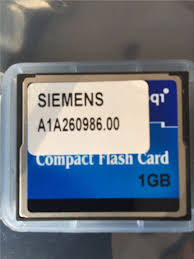

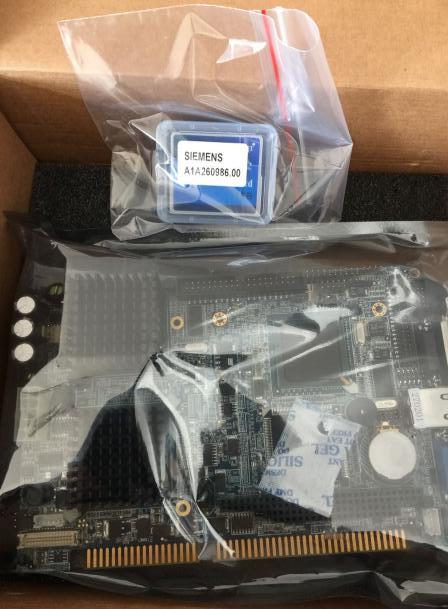
A1A260986.00 Robicon Perfect Harmony Siemens GH180 VFD CF Card inside CPU 6SR0960-0CB11-0AD
A1A260986.00 Robicon Perfect Harmony Siemens GH180 VFD CF Card inside CPU 6SR0960-0CB11-0AD
A1A260986.00 Robicon Perfect Harmony Siemens GH180 VFD CF Card inside CPU 6SR0960-0CB11-0AD
Dear sir
I got fault massage "Drive not Communicate" ,when I was trying to install a New spare DCR box .
Steps fallowed by :
* First I removed the OLD DCR box with SMPS .
* removed the CF card .
* mounted the new DCR box and put the OLD CF card .
after that when switched on the control power , it was shown error "Drive not Communicate " .
* Then I removed the new microprocessor board / CPU board and put the old CPU board and the OLD cf card .
after that when switched on the control power , it was normal . there was no fault .
Drive Data:
P/N no:-A5E03678318 , S/O: 3001521032 and
Order no:- 6SR4502-5ND42-5BH0-Z .
GEN IV, air cool,750V, 24 cell,140A
____
Data of OLD CUP BOARD:
M118B9400145
PROX-H472LF-PU-062L1-G1B
A1A0100521 REV.BA
E41-11900021
--------
Data old CF CARD:
A1A260986.00
-----
Data of NEW CUP BOARD:
P/N :-A1A0100521
S/N:-E64-15200083 BA
--------
Data New CF CARD:
siemens nxg software standard v 5.3.1
2-20-2015
A1A260986.00
---------------
* Is there Any problem in CPU board ?
* Is there any firmware version problem ? bcz when drive start , it shows "perfect harmony 5.2.2" .
* How can i update the NXG software 5.2.2 to 5.3.1 ??
__________________________
Please help me about this matter . The error/fault was shown at the time of NXG software loading (5.5.2) / drive software loading (firmware 5.5.2) .
Hi
Drive not communicate is coming where on drive display screen!
Can you try with old flash and new CPU whether error is coming.
Firmware should not be an issue within the drive from CPU to drive HMI screen. If you are connecting a laptop with tool suite to drive then while going ONLINE it pops up message " Drive installed software and tool suite version mismatch"
To upgrade NXG there is procedure and you need Tool suite installed laptop and flash card reader.
Regards,
Vijay
Sir, thanks for your supervision .
Yes, it (fault:-drive not communicate ) was coming on Keypard Display. As you said, there is no problem in firmware . I removed the RAM and Battery of the CPU then again connected it properly with OLD CF card. Now there is no issues But sometime same problem has occurred while connecting my laptop through ethernet cable . This error massage is not logged in "event log" and "fault log" . NXG software installed 5.2.1 on drive and tool suite Version 5.2.2.1 on laptop.
HI
While connecting Laptop with tool suite to drive SW version mismatch, no issue a pop up message will come and just acknowledge it. It will go ONLINE then.
Or you can tick the option don't ask , on the tool suite screen.
Thanks
Vijay
Hi,
I got two cases with Drive Not Communicate fault.
1. Problem was in wrong soft at CF. I ve asked it on the factory, then i download it correctly.
2. Problem gone after CF changing.
Previous : Siemens Robincon CPU Board A1A0100521, CF Card A1A260986.00, A5E35236834
Next : A5E32855090 Siemens GH180 Robicon Perfect Harmony G4 Power Cell 70A, 750V 6SR4902-0AB00-0AM1


 Copy product links
 Long by picture save/share
INQUIRY


Add Successfully
We are the world's leading supplier of spare parts for medium voltage drives of various brands

点击右上角
分享给朋友吧
GET IN TOUCH

East Sun Industrial Centre, No 16 Shing Yip Street Kl, Hongkong

Call us : +852 5261 7322

Email us : [email protected]
SITEMAP
BUSINESS HOURS
Monday to Friday : 9 am to 6 pm
Saturday : 9 am to 12 am
Sunday : Closed Support Hours in 24/7 Everyday
DISCLAIMER:
We are not an authorized distributor, reseller or representative of the following products presented on this website. All Product names and logos throughout this site are trademarks of their respective holders. Use of them DOES NOT imply any affiliation with or endorsement by them.
© 2020 robiconperfectharmony.com site . All rights reserved Site Map
