How to replace obsolete GenIV power cell, manufactured before 2012, with a newer cell version
FAQ: SINAMICS Perfect Harmony GH180 GenIV
How to replace obsolete GenIV power cell,
manufactured before 2012, with a newer cell version
1. General information
In the following pages you can see the mechanical differences of the
substituted, the current design of the cell and how you modify it.
Obsolete Product example → 6SR4902-0AE00-0AA0
Substitution Product example → 6SR4902-0AE00-5AD0
2. Old Cell design – Replacement must be modified to fit
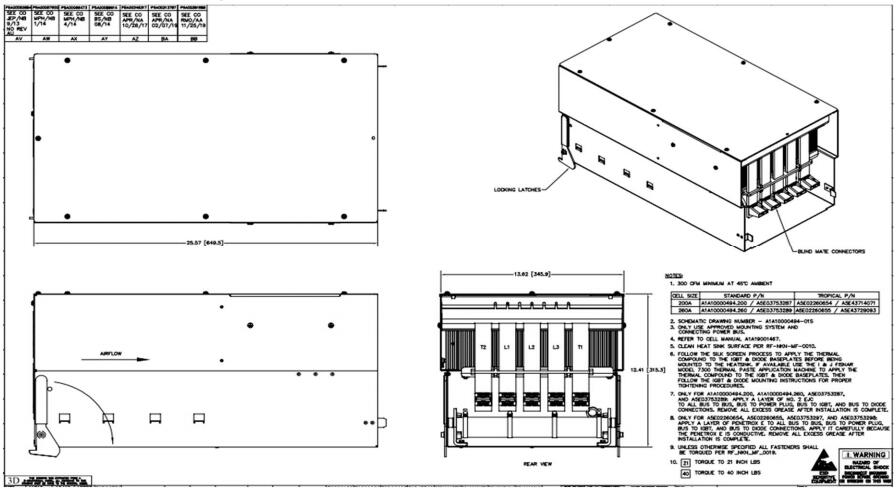
Figure 1: Example 6SR4902-0AE00-0AA0 - Rev. AD
3. New cell design – to be modified as described in point 5 and
shown in figure 3
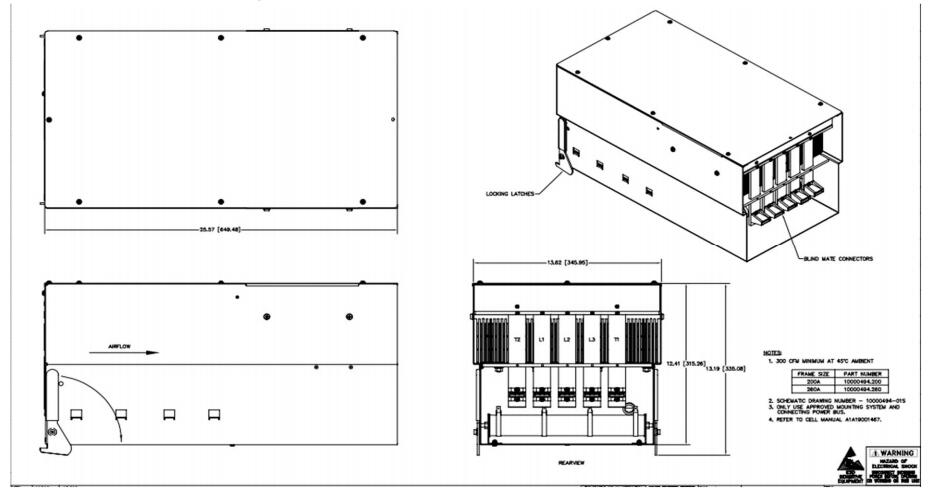
Figure 2: Example 6SR4902-0AE00-5AD0 - Rev. AN
4. Issue description
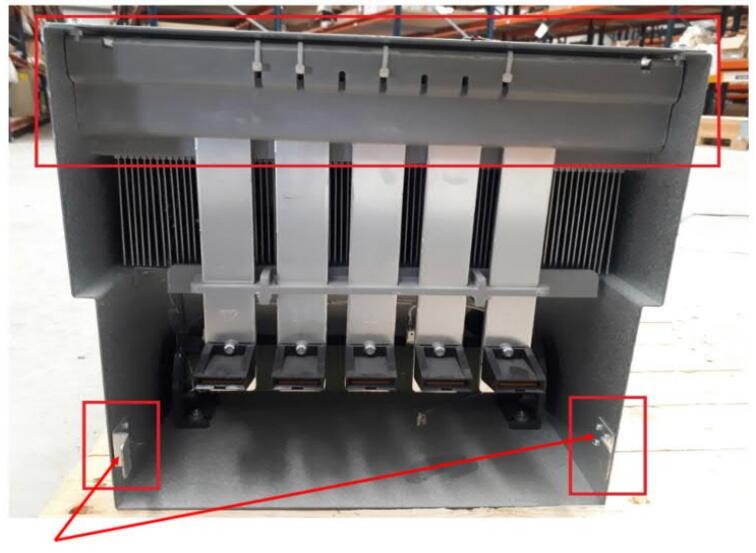
Figure 3: The new cell design with red marks where the mechanical issue is located on the cell.
In figure 3, the red squares are highlighting the parts that must be preparate
bevor installation in the drive. The two angle-rivets on the bottom area, as well
as the with cable-ties fixed gray air baffle on the upper backside of the cell.
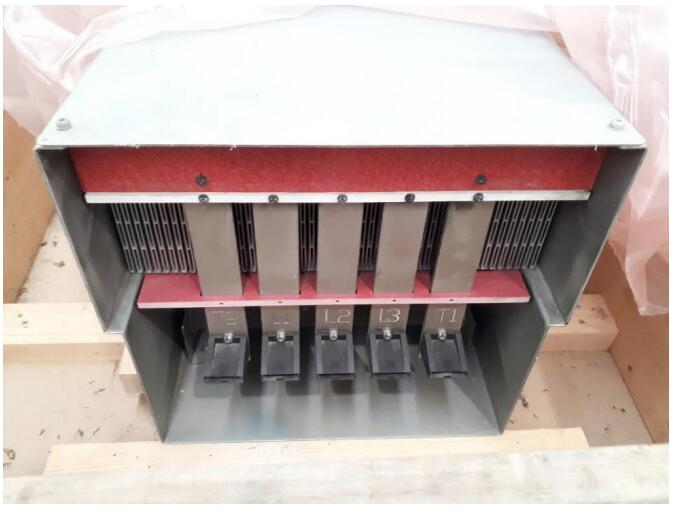
Figure 4: The old cell design without rivets / air baffle
5. Steps that have to be followed
(1) Ensure Cell is laying on a flat surface with the rear end overhanging a work bench
(2) Prevent any metal shavings getting into the rear of the Cell or Cell connectors.
e.g use a piece of corrugated cardboard cut to size and wedged in place.
(3) Drill out each of the 2 rivets securing both Cell tabs at the rear of the Cell. (Figure 3)
(4) Gently remove any metal burrs on the rear edges of holes with a medium grade metal file.
(5) Remove the gray air baffle on the upper backside of the cell. (Figure 3)
(6) Vacuum out any remaining debris.
(7) Remove the cardboard barrier.
(8) Ensure no presence of any metal shavings and vacuum out if present
(9) Cell is now ready for installation
We are the world's leading supplier of spare parts for medium voltage drives of various brands

点击右上角
分享给朋友吧
GET IN TOUCH

East Sun Industrial Centre, No 16 Shing Yip Street Kl, Hongkong

Call us : +852 5261 7322

Email us : [email protected]
SITEMAP
BUSINESS HOURS
Monday to Friday : 9 am to 6 pm
Saturday : 9 am to 12 am
Sunday : Closed Support Hours in 24/7 Everyday
DISCLAIMER:
We are not an authorized distributor, reseller or representative of the following products presented on this website. All Product names and logos throughout this site are trademarks of their respective holders. Use of them DOES NOT imply any affiliation with or endorsement by them.
© 2020 robiconperfectharmony.com site . All rights reserved Site Map
