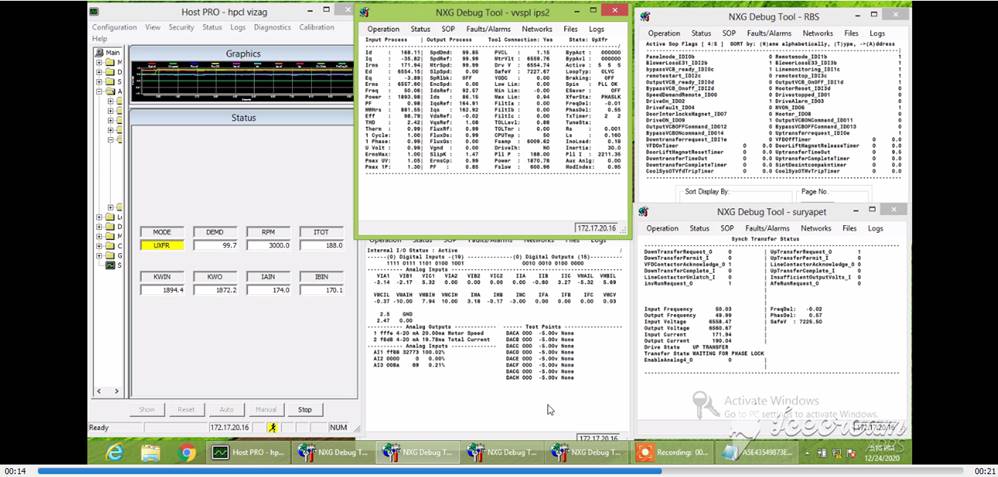


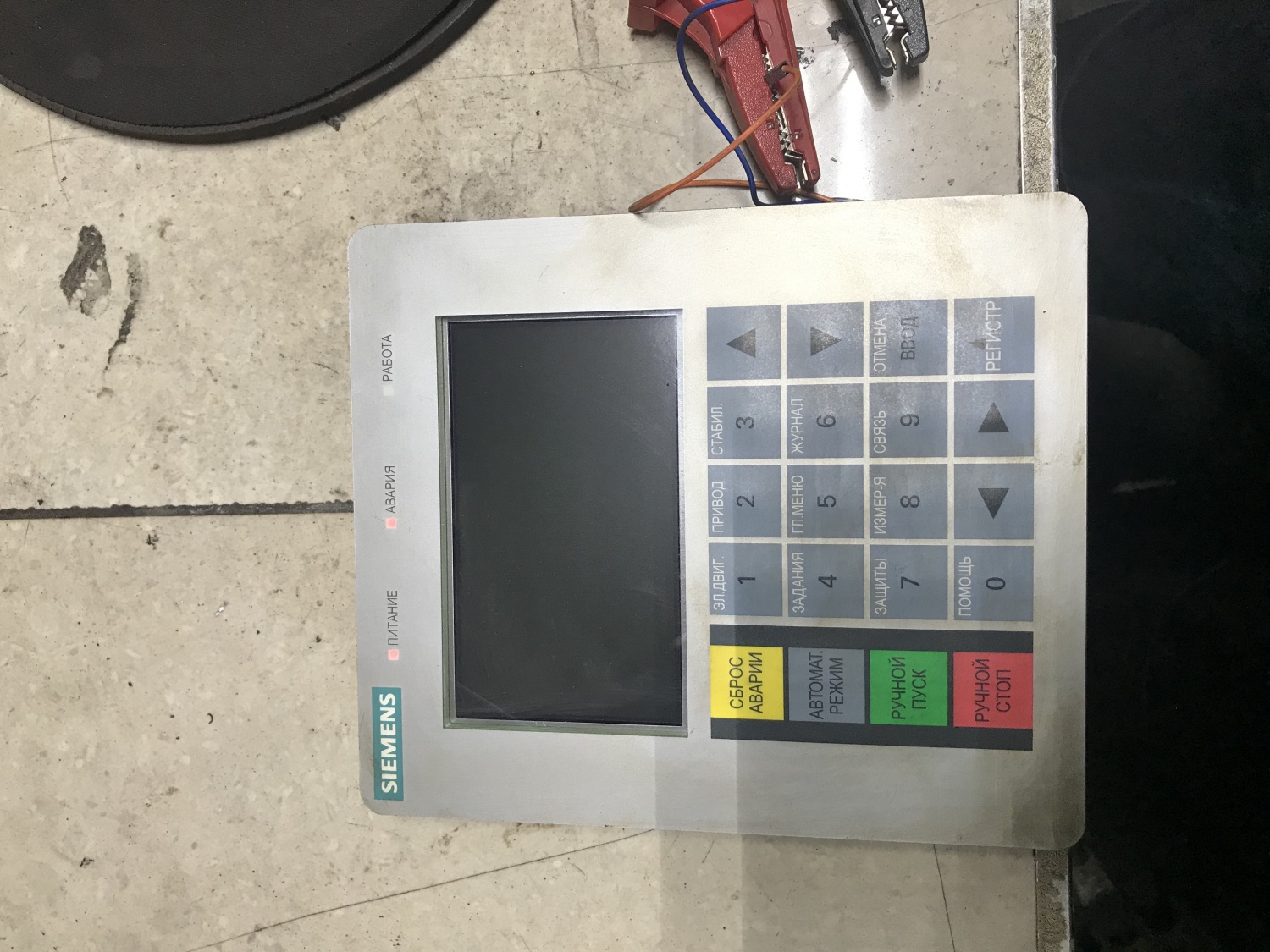

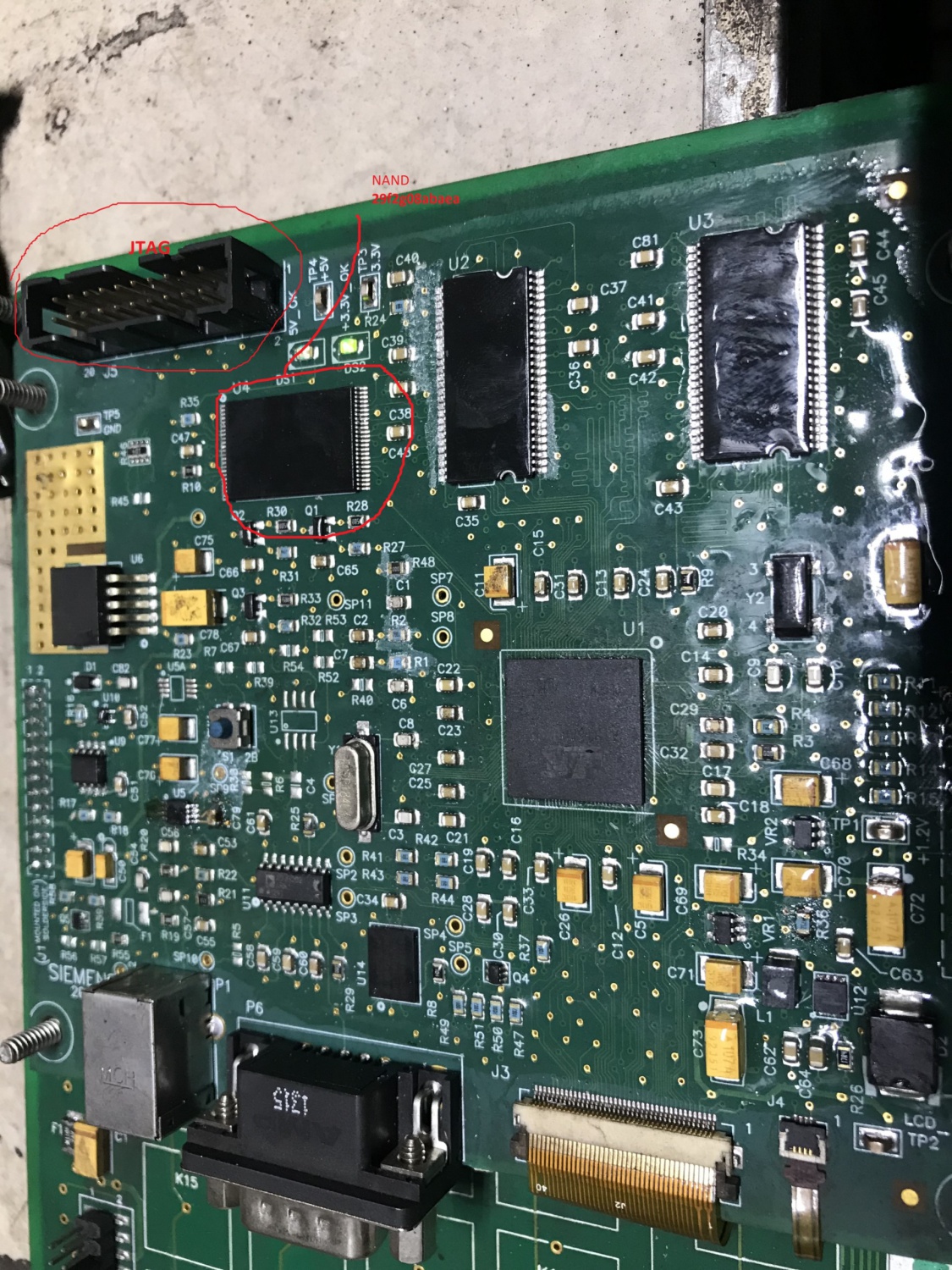
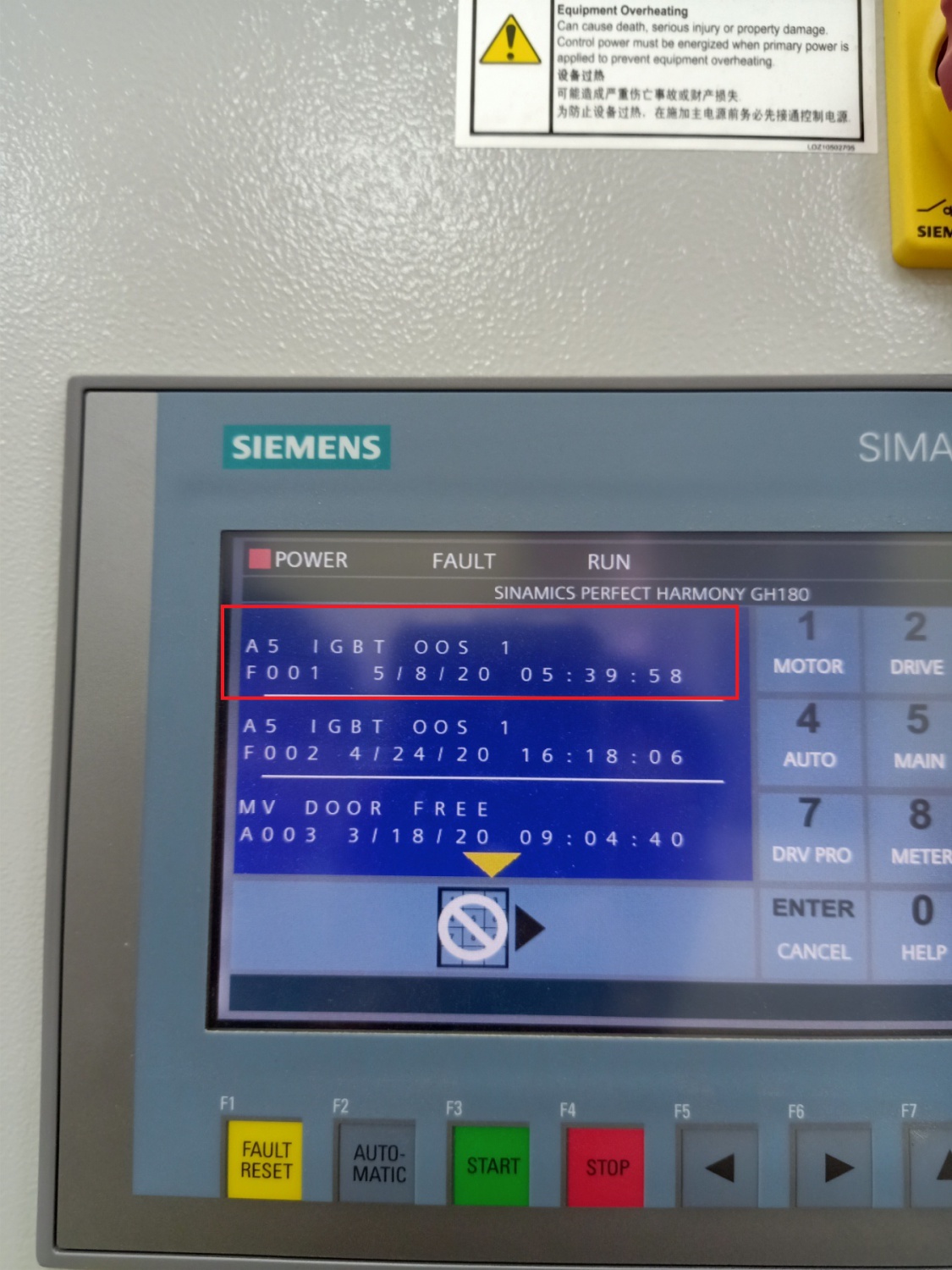
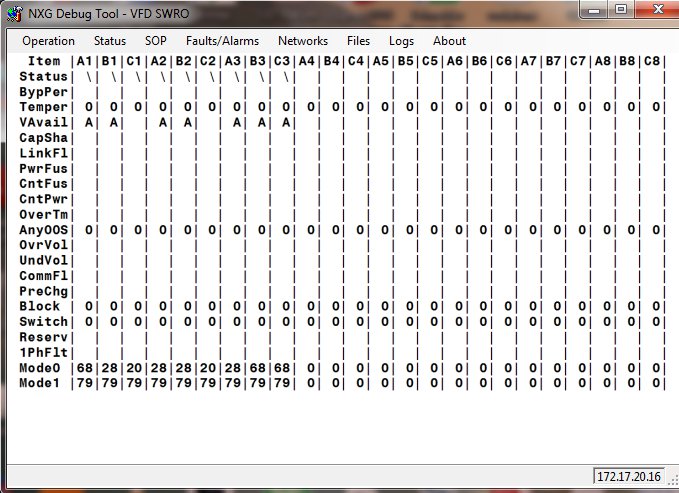
SINAMICS PERFECT HARMONY GH180 GenI/GenII/GenIII/GenIV/6SR5, Power cell 260 A Debug Tools v 5.4.0.1
SINAMICS PERFECT HARMONY GH180 SINAMICS PERFECT HARMONY GH180 GenI/GenII/GenIII/GenIV/6SR5, Power cell 260 A Debug Tools v 5.4.0.1
ROBICON Perfect Harmony - Medium voltage converters
Robicon Underload Timeout
Hello forum
I have been with trouble understanding correctly the underload timeout definition and how it works.
In the manual it states as:
Set the time for underload trip. The time is cumulative, increasing and decreasing to measure total time less than the underload limit. Once the timeout is reached, the drive will trip. The drive alarms if the current falls below the threshold, with a half second hysteresis
Could you provide an example of the cumulative time.
Thanks in advance
Cell fault trip and not bypassed
Hello gents,
We have a problem with drive tripped by cell fault normaly the bypass is active mechanical and also fast bypass why the drive not bypass and trip with this fault?
Sint Desint operation not getting successful
We are trying for sync transfer operation from GH180 VFD but it is not getting successful ,
VFD up transfer permit is not getting high
Hi papu20,
Are you able to upload the system operating program and parameters for review?
Regards,
will4
profinet gsd file
Hello
I'm looking for profinet gsd for TIA portal for gh 180 NXG Pro control.
somebody can help me?
thank you
Enzo
Hello enzo;
Do you have documentation on using Profinet with a GH 180 NXG Pro?
This document does not show Profinet as a communication option...
GH 180 NXG Pro manual
Hope this helps,
Daniel Chartier
hello Daniel
No, I don't have documentation on using Profinet with a GH 180 NXG Pro, but below you can see a part of the electrical drawings of the USA made drive, with the profinet converter.
For this reason I'm asking about profinet gsd,
cabinet cooling fan maintenance
How can we verify Thermal Overload and contactor operation in the cabinet cooling fans of a GEN 3E?
Hi
F21, F22 are Blower fuses and BM1 - BM5 are Blower motor starters
Need NXG / NXG II TOOLSUITE SOFTWARE
hi sir ,
i need NXG / NXG II TOOLSUITE SOFTWARE, related to mv vfd ,i am a student and want to learn that software , please help me for that , how to download from related link .please reply me on [snip]
Lost project, download from NXG
Hi All
I have lost my PC and my project and I have installed a new Hard disk with TOOL SUITE program, how can I download my project from NXG? and can I download project from NXG while runing compressor (without shutdown the compressor).
Is there any procedure to connect to NXG, and how can I get the IP address of NXG and ip address of my PC.
Regards
Naceureddine
Yes you can download the project through tool suit.
Check the parameter ID 9310 for the drive IP address. Accordingly you select the IP address of your PC taking care. I mean last two digits should be surely different from drive ID. else there is a likelihood of drive tripping.
Once you have put the IP of your PC, you can go ONLINE with project and save. You can take the parameter backup also.
Hope this helps
Vijay
The attached procedure gives you some more detail about how to take the backups using Tool Suite.
What version of Tool Suite to Use With NXGpro?
We recently received updated CF cards in the mail with NXGpro Software Standard V6.4.0. I am attempting to connect to the drive using Tool Suite 5.2.3.1 (Drive Host 1.18.0.2) to backup the current setup before proceeding and have been unsuccessful. Is this the correct version of the Tool Suite software, or do I need something newer?
Hi
Can you mail the snapshot what message you are receiving while attempting to go online with drive using Tool Suite.
Vijay
Version 6.3.3.1 will do the job. See attached.
What is your current Control Version NXGII or NXGPro? If it is NXGPro you should use Toolsuite version 6.4.1.
Peter
Anyone have a download link for it?
GH180 CAP SHARE FAULT
We have a Cap share fault in one of our GH180 Drive using NXG pro Controller.
1) The Faults Comes in running and goes into the bypass
2) During MV Drive Stop and Again Start, the Cell again comes in line and after some time (1-2 days), it again gives a CAP share fault.
My Question is
1) What is an Average life of capacitors
2) Does the life of Capacitors reduces after kept without charge for 4-5 years
3) How does it sense the CAP share fault
4) How to check the Capacitors for it's Proper working
5) Do we need to change the total Capacitors in the Cells for the CAP share Problem
6) What is the Tightening torque required to Tighten the Capacitors
7) Can the CAP share fault be related to the Cell Communication Board
8) Are there any setting in the Parameters, to adjust the level of CAP share fault
9) Is is Possible to Diagnose Individual Capacitors through the software
Regards
JSS
Hi,
Try exchanging the cell control board in the faulty cell with another one and see if the fault moves. Normally its the cell control board causing the cap share fault. We can repair any faulty cell control boards or power cells for you.
Regards,
will4
Thanks for the Reply,
We did the same and it's Working.
It was the Cell Control Board which was Creating the Problem.
By Changing the CCB the Problem was Solved ( It was not the Capacitor in our Case)
Thanks
Jitendrasingh soun
Reforming Cell Logs
Hi All,
After fitting 2 new power modules C1 and C2 I reformed the capacitors as per normal, the drive went through its Cell Diagnostic and returned no errors however using the Debug tool and cell monitoring I get nothing at the line Vavail for the 2off new cells C1 & C2. Can anyone advise what this means > Attached debug screen shots for the cell monitoring notably C1 & C2 is of interest.
Hi Cris69,
Does the drive run with the new power cells?
Regards
will4
GH180 DRIVE EXCESSIVE Drive LOSSES
Dear Sir,
We have a 1700kw GH180 with NXG pro controller
We had Changed the Old NXG controller with NXG pro controller
The Drive Shows a Error and Trips on Excessive Drive Losses
- We increased the Excessive loss running from 7% to 12 % and the fault did not come
We also observed that the Input power and output power shown on Drive had a Difference of 50Kw, which was causing this error.
We have Power monitoring system on the Upstream Incoming Breaker (VCB)
The Power in this Upstream breaker Power Monitoring system was showing Less power
then what was shown in the Drive Incoming power.
We compared with the other 3 nos MV drive. There the MV Drive Incoming power shown on drive and the Power monitoring system power on Upstream Breaker were almost same.
Then we came to a conclusion that the Drive was Showing Wrong Power consumed on the Incoming side.
Then in the Parameter we Reduced the Input current scaling to match the power shown on drive with the Power monitoring system power on Upstream Breaker
Now the Input and output power shown in the Drive had a less difference and we reduced the Excessive loss running from 12% back to 7% and now no fault is coming
My Question is
- What could be the reason the Drive showing wrong incoming power consumed and how to correct
- How good is it, to do the input current scaling .
- What shall be the Future effects of changing the Input Current scaling
Regards
JSS
Previous : ROBICON Perfect Harmony - Medium voltage converters Parameter Dump
Next : SINAMICS PERFECT HARMONY GH180 GenI/GenII/GenIII/GenIV/6SR5, Power cell 260 A Debug Tools v 5.4.0.1-


 Copy product links
 Long by picture save/share
INQUIRY


Add Successfully
We are the world's leading supplier of spare parts for medium voltage drives of various brands

点击右上角
分享给朋友吧
GET IN TOUCH

East Sun Industrial Centre, No 16 Shing Yip Street Kl, Hongkong

Call us : +852 5261 7322

Email us : [email protected]
SITEMAP
BUSINESS HOURS
Monday to Friday : 9 am to 6 pm
Saturday : 9 am to 12 am
Sunday : Closed Support Hours in 24/7 Everyday
DISCLAIMER:
We are not an authorized distributor, reseller or representative of the following products presented on this website. All Product names and logos throughout this site are trademarks of their respective holders. Use of them DOES NOT imply any affiliation with or endorsement by them.
© 2020 robiconperfectharmony.com site . All rights reserved Site Map
